Note
Access to this page requires authorization. You can try signing in or changing directories.
Access to this page requires authorization. You can try changing directories.
Business Central includes several built-in reports to help sales organizations report on their data.
Explore sales reports with Report Explorer
To get an overview of the reports that are available for sales, choose All Reports on your Home page. This action opens the Role Explorer, which is filtered to the features in the Report & Analysis option. Under the Sales and Marketing heading, choose Explore.
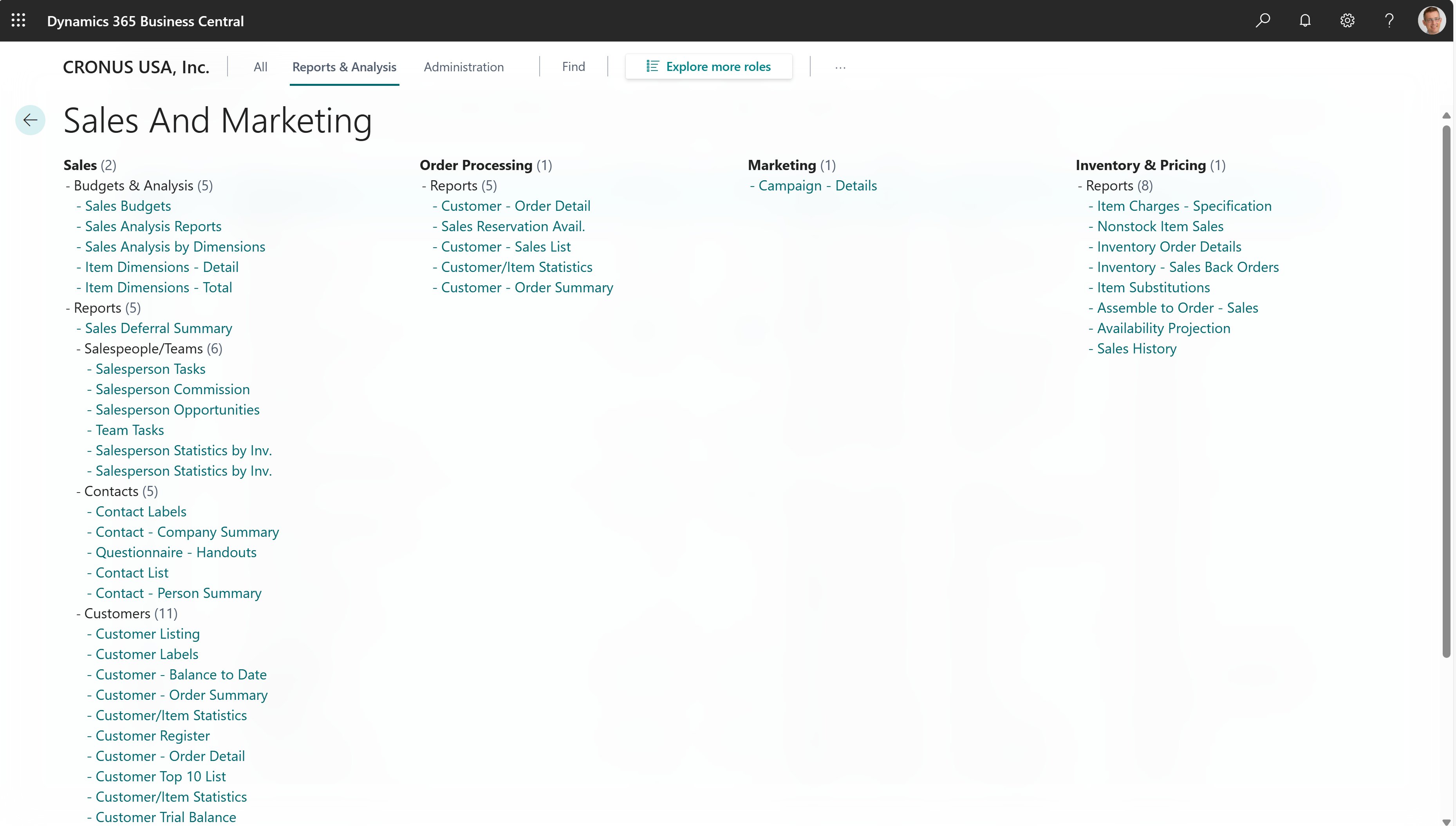
The built-in sales reports come in two flavors:
- Designed for print (pdf).
- Designed for analysis in Excel.
To learn more, go to Finding Reports with the Role Explorer.
Sales report overview
The following table describes some of the key reports for sales. The reports help different roles in sales departments make informed decisions to optimize their operations.
| To do this | Open this report in Business Central (CTRL+select) | Learn more | ID |
|---|---|---|---|
| Review customers with the most transactions in a selected period directly in Excel. Identify sales trends and manage debt collections. | Customer - Top list Excel | About Customer - Top list Excel | 4409 |
| Analyze unshipped orders to understand your expected sales volume. Forecast your monthly sales revenue. | Customer - Order Summary | About Customer - Order Summary | 107 |
| Analyze outstanding sales orders and understand expected sales volumes for customers. Compare your overall outstanding shipments with the planned shipment date and find overdue back orders. | Customer - Order Detail | About Customer - Order Detail | 108 |
| Analyze item sales per customer to understand sales trends, optimize inventory management, and improve marketing efforts. Assess the relationship between discounts, sales amounts, and volume of item sales. | Customer/Item Sales | About Customer/Item Sales | 113 |
| Analyze sales and profitability per salesperson to understand revenue contribution, compare margins, and evaluate the impact of discounts on overall performance. Use the insights to monitor individual and team sales effectiveness, identify high and low performers, and support data-driven decisions across sales management, operations, and finance. | Salesperson - Sales Statistics | About Salesperson - Sales Statistics | 114 |
| Analyze the commissions by salesperson. See the customer, document, sales amounts and profit amounts provided by a salesperson's contributions. | Salesperson - Commission | About Salesperson - Commission | 115 |
| Generate customer statements to get a clear summary of amounts due. You can share the amounts with customers to follow up on payments. For example, if you need to close an accounting period or fiscal year. | Customer - Balance to date | About Customer - Balance to date | 121 |
| Analyze and reconcile customer balances at the end of a period. Explore opening balances, transactions within the period, and closing balances for customers. | Customer - Trial Balance | About Customer - Trial Balance | 129 |
| Get a daily transaction overview for customer postings, similar in intent to a sales day book or a chronological audit-style listing of customer postings. | Day Book Customer Ledger Entry | About Day Book Customer Ledger Entry | 2501 |
| Analyze outstanding sales orders to understand expected sales volumes for items. To highlight overdue back orders, compare overall outstanding shipments with the planned shipment dates. | Inventory Order Details | About Inventory Order Details | 708 |
| Get an overview of sales orders that you can't fulfill because items are out of stock. | Inventory Sales Back Orders | About Inventory Sales Back Orders | 718 |
| Explore sales orders that are covered when you pick items from inventory. | Inventory Picking List | About Inventory Picking List | 813 |
| This report is a legacy report for sales analysis. Refer to the report documentation for alternatives. | Customer - Top 10 list | About Customer - Top 10 list | 111 |
| This report is a legacy report for sales analysis. Refer to the report documentation for alternatives. | Customer List | About Customer List | 101 |
| This report is a legacy report for sales analysis. Refer to the report documentation for alternatives. | Sales Statistics Note: This report isn't available in the United States, Canada, and Mexico. Instead, use the Customer Sales Statistics (10047) report. |
About Sales Statistics | 112 |
| This report is a legacy report for sales analysis. Refer to the report documentation for alternatives. | Customer - Sales list | About Customer - Sales list | 119 |
| This report is a legacy report for sales analysis. Refer to the report documentation for alternatives. | Sales Reservation Avail. | About Sales Reservation Avail. | 209 |
Related information
Ad-hoc analysis of sales data
Power BI sales app
Sales analytics overview
Setting Up Sales
Sales overview
Reserve Items