Merk
Tilgang til denne siden krever autorisasjon. Du kan prøve å logge på eller endre kataloger.
Tilgang til denne siden krever autorisasjon. Du kan prøve å endre kataloger.
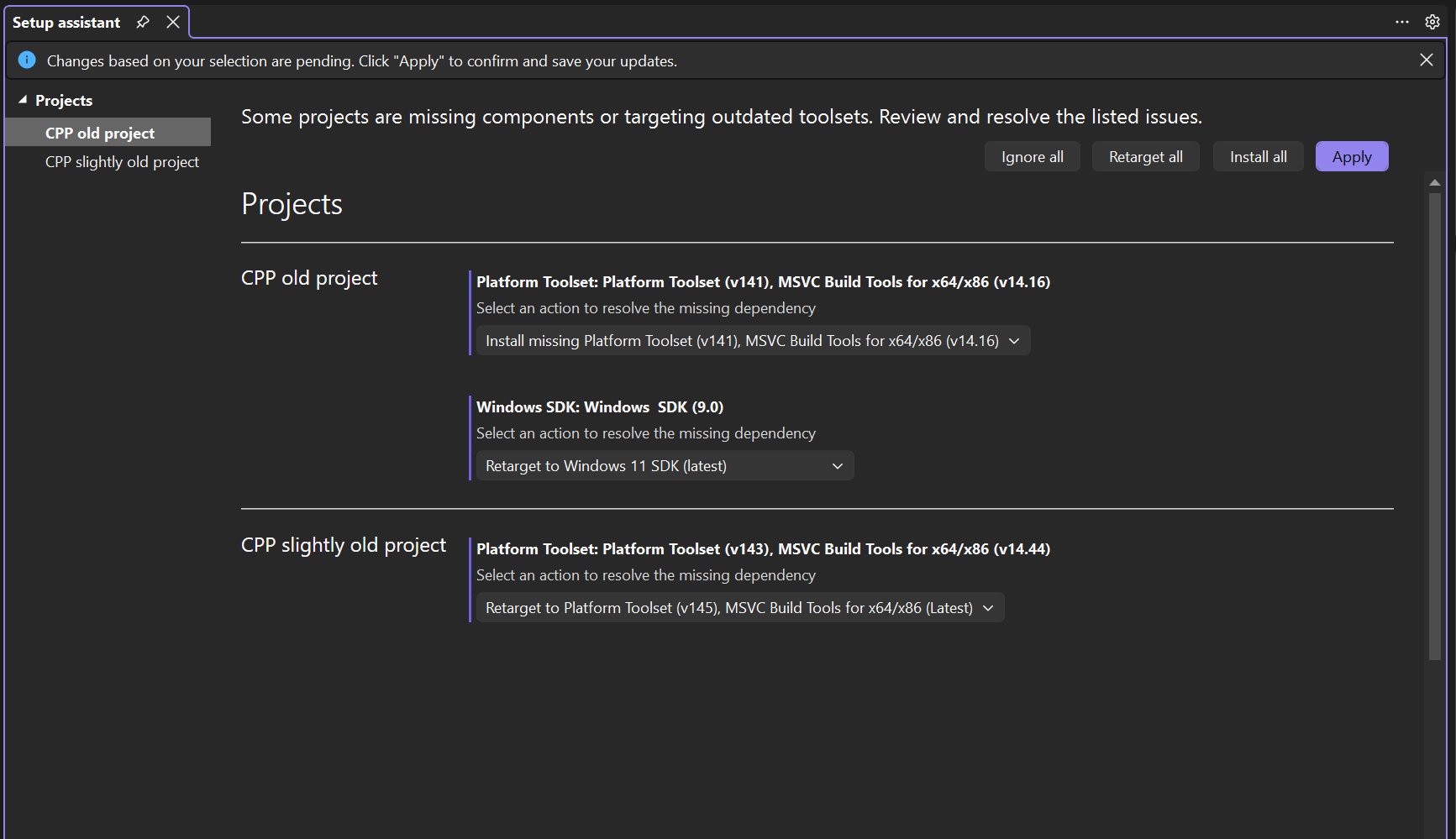
Visual Studio supports multiple toolsets and SDKs. When a project is loaded, Setup Assistant automatically detects dependencies your project targets and makes it easy to install missing dependencies and/or retarget your project to the latest dependencies. If you’d rather not install or retarget right now, select Ignore, then choose Apply.
C++ developers
Setup Assistant identifies MSVC toolsets and Windows SDKs your project targets. You can retarget your project to the latest version or install missing components with a single click directly in the Visual Studio Installer.
.NET developers
If your project uses a pinned global.json file, Setup Assistant provides a link that matches the pinned .NET SDK so you can quickly install it in your browser.

Reopen the Setup Assistant dialog
You can reopen the Setup Assistant dialog anytime:
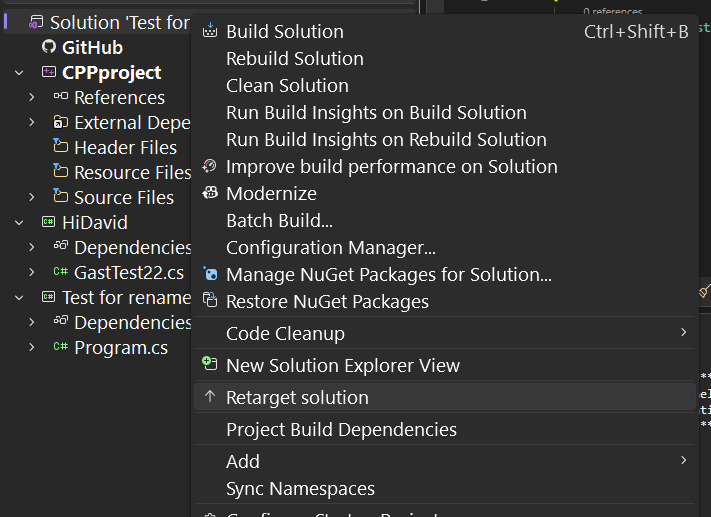
In Solution Explorer, right-click the solution and select Retarget solution.
From the project toolbar dropdown, select Retarget solution.
