Note
Access to this page requires authorization. You can try signing in or changing directories.
Access to this page requires authorization. You can try changing directories.
In Azure IoT Operations, a key task is to manage the assets and devices that are part of your solution. This article:
- Defines assets and devices for Azure IoT Operations.
- Provides an overview of services for managing assets and devices.
- Explains common use cases for these services.
Physical assets and devices
In the context of Azure IoT Operations, the terms asset and device can refer to both physical entities that connect to Azure IoT Operations and configuration resources within Azure IoT Operations and Azure Device Registry.
This diagram shows the key components of asset management in Azure IoT Operations.

In the preceding diagram:
- Cameras are examples of physical devices that connect directly to Azure IoT Operations through the media connector or the Open Network Video Interface Forum (ONVIF) connector.
- Assets like Asset-01, which might be an oven, are physical assets that connect indirectly through an OPC Unified Architecture (OPC UA) server.
- OPC UA servers are physical devices that connect to Azure IoT Operations by using the OPC UA connector.
A physical device can connect by using various protocols. It might use a connector like the media connector. If it uses the MQTT protocol, it connects directly to the MQTT broker and bypasses the connectors.
This diagram shows how physical devices connect to Azure IoT Operations.

Configuration resources
Azure IoT Operations uses the terms asset and device to refer to configuration resources. These configuration resources don't map directly to the physical assets and devices in your environment. Instead, they define how a connector in Azure IoT Operations connects to and interacts with the physical assets and devices in your environment.
In Azure IoT Operations:
- A device is a configuration resource that encapsulates the connection information required to connect to one or more physical devices or assets.
- An asset is a configuration resource that encapsulates information about the data that a physical asset or device exchanges with Azure IoT Operations.
These configuration resources are stored as Kubernetes custom resources and as entries in Azure Device Registry.
An operator configures and manages devices and assets in the operations experience web UI or by using the Azure IoT Operations CLI.
Learn more in Assets and devices.
Southbound and northbound connectivity
In Azure IoT Operations, southbound connectivity refers to the connection between the edge cluster and physical devices and assets. Northbound connectivity refers to the connection between the edge cluster and cloud services.
The connectors in this article enable southbound connectivity by letting the edge cluster communicate with physical devices and assets. Learn about northbound connectivity in Process and route data with data flows.
Services for managing devices and assets
Azure IoT Operations includes several services that help you manage devices and assets.
Azure Device Registry
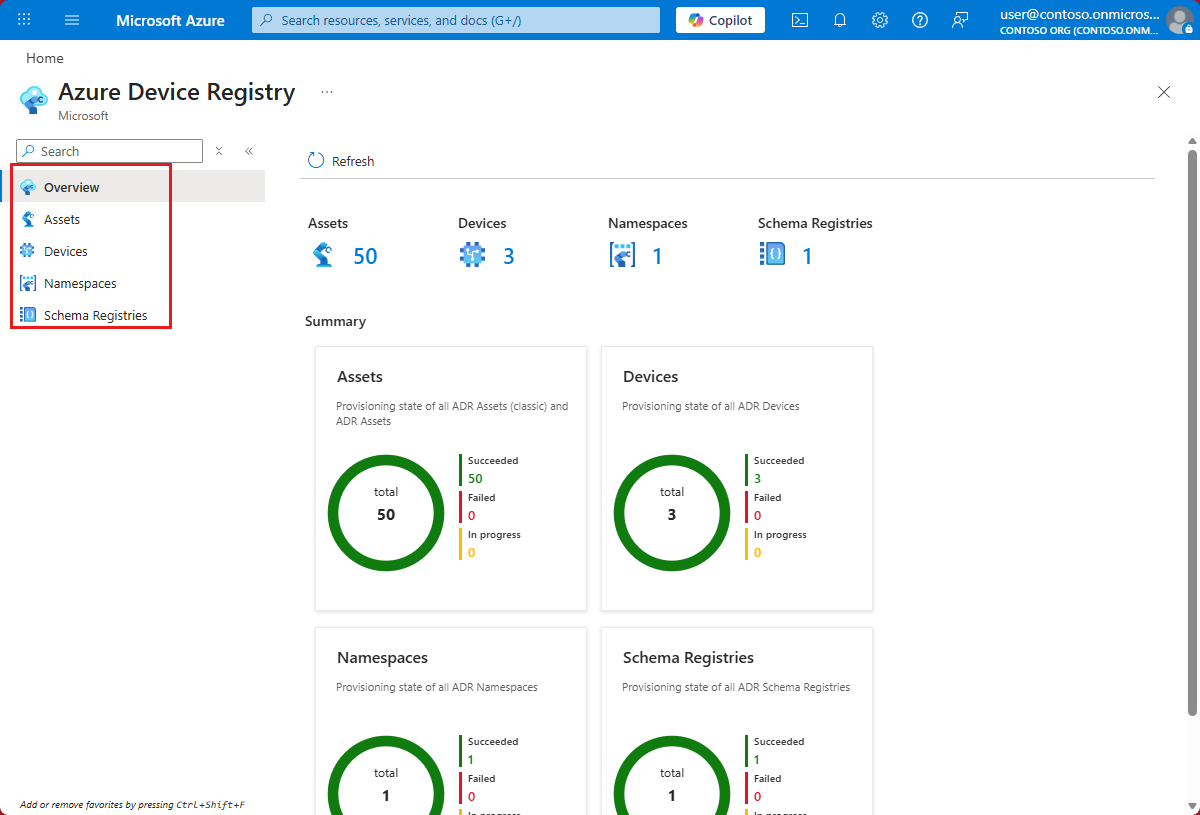
Azure Device Registry is a back-end service that enables the cloud and edge management of devices and assets from the Azure portal.
Device Registry maps assets from your edge environment to Azure resources in the cloud. It offers a unified registry so that apps and services that interact with your assets connect to a single source. Device Registry syncs assets in the cloud with custom resources in Kubernetes on the edge.
When you create a device or asset in the operations experience or by using the Azure IoT Operations CLI, that device or asset is defined in Device Registry.
Assets and devices
Device Registry maps assets and devices to Azure resources. Enterprises can use Azure Resource Manager for the deployment and management of both assets and devices. Resource Manager supports resource groups, tags, role-based access control (RBAC), policies, logging, and auditing.
Schemas
You can use the schema registry to define and manage schemas for your assets. Data flows use schemas to deserialize and serialize messages.
Namespaces
Device Registry uses namespaces to organize assets and devices. Each Azure IoT Operations instance uses one namespace for its assets and devices. Multiple instances can share a namespace.
Synchronization
Manage devices and assets through the operations experience or through Azure APIs and tools like Azure Resource Graph. Changes made in the cloud sync to the edge and appear as custom resources in the Kubernetes cluster.
Akri services
Akri services in Azure IoT Operations:
- Provide an extensible framework for building and deploying connectors that enable connectivity protocols like ONVIF and HTTP/REST.
- Enable automatic discovery, onboarding, and monitoring of physical devices and assets at the edge.
Connectivity
You can use Akri services to deploy and set up connectivity protocols at the edge. Akri services use the asset and device resources in Device Registry to model device and protocol connections in your environment. They let you easily onboard and provision assets with open standards. They provide an extensible framework for all device protocols and a single view for all assets.
Connectors include:
Connector for OPC UA. A data ingress and protocol translation service that lets Azure IoT Operations ingest data from OPC UA servers. A key requirement in industrial environments is a common standard or protocol for machine-to-machine and machine-to-cloud data exchange. OPC UA is a specification for a platform-independent, service-oriented architecture that enables data exchange in industrial environments. The connector receives messages and events from your assets and publishes the data to topics in the MQTT broker.
Media connector. A service that makes media from sources like edge-attached cameras available to other Azure IoT Operations components.
Connector for ONVIF. A service that discovers and registers ONVIF assets like cameras. You can use the connector to manage and control ONVIF assets connected to your cluster.
Connector for HTTP/REST. A service for connecting to HTTP/REST endpoints and publishing data to the MQTT broker.
Connector for SSE. A service for connecting to server-sent event (SSE) endpoints and publishing event data to the MQTT broker.
Connector for MQTT (preview). A service for subscribing to topics on MQTT brokers and publishing data to the Azure IoT Operations MQTT broker. This connector is designed for connecting to other MQTT brokers in your environment.
You can also use a data flow to connect to a Kafka endpoint and route messages to the MQTT broker. Learn how in Connect to Kafka endpoints.
Custom connectors. Services that you create to connect to other data sources and publish data to the MQTT broker. Use the Azure IoT Operations SDKs to create custom connectors that meet your specific requirements.
Each connector organizes asset data using one or more of the following types:
- Datasets: A logical grouping of telemetry data points that defines what data is collected and routes it to a destination MQTT topic.
- Event groups: A logical container for related discrete events from an asset, such as state changes or alerts, routed to a destination MQTT topic.
- Management groups: A logical grouping of read, write, or call actions that can be invoked against an asset.
- Streams: A continuous flow of media data, such as video or audio, from an asset such as a camera.
The following table summarizes which data types each connector supports.
| Connector | Datasets | Event groups | Management groups | Streams |
|---|---|---|---|---|
| OPC UA | Yes | Yes | Yes | |
| ONVIF | Yes | Yes | ||
| Media | Yes | |||
| HTTP/REST | Yes | |||
| SSE | Yes | Yes | ||
| MQTT (preview) | Yes | Yes |
Discovery
You can use Akri services to automatically discover physical devices and assets. Akri services also help operational technology (OT) users set up devices and assets in the operations experience web UI. The connectors described earlier all use the framework that Akri services provide to implement their core capabilities.
Akri services simplify the creation of assets by automatically onboarding assets with preconfigured datasets and endpoints. The connectors generate these datasets and endpoints to represent capabilities and devices on the network.
Monitoring
Akri services provide monitoring capabilities for physical devices and assets. These capabilities include tracking the status and health of devices. The monitoring framework works seamlessly with the connectors and Device Registry to help you gain insights into your edge environment.
Operations experience
The operations experience is a web UI where OT users can create and configure devices and assets in an Azure IoT Operations instance. This web UI simplifies managing devices and assets, and it's the recommended service for this task.

Azure portal
The Azure portal is a web-based application where IT users can manage Azure resources from a unified console. Use the Azure portal to create and manage Azure IoT Operations instances, monitor IoT solutions, manage assets and devices, and troubleshoot problems. Device Registry is integrated with the Azure portal, so you can view and manage your namespaces, schemas registries, assets, and devices in the cloud.