Note
Access to this page requires authorization. You can try signing in or changing directories.
Access to this page requires authorization. You can try changing directories.
This page illustrates the following H3 geospatial functions quickstart tasks:
- How to load geolocation dataset(s) into the Unity Catalog.
- How to convert latitude and longitude columns to H3 cell columns.
- How to convert zip code polygon or multipolygon WKT columns to H3 cell columns.
- How to query for pickup and dropoff analysis from the LaGuardia Airport to Manhattan's Financial District.
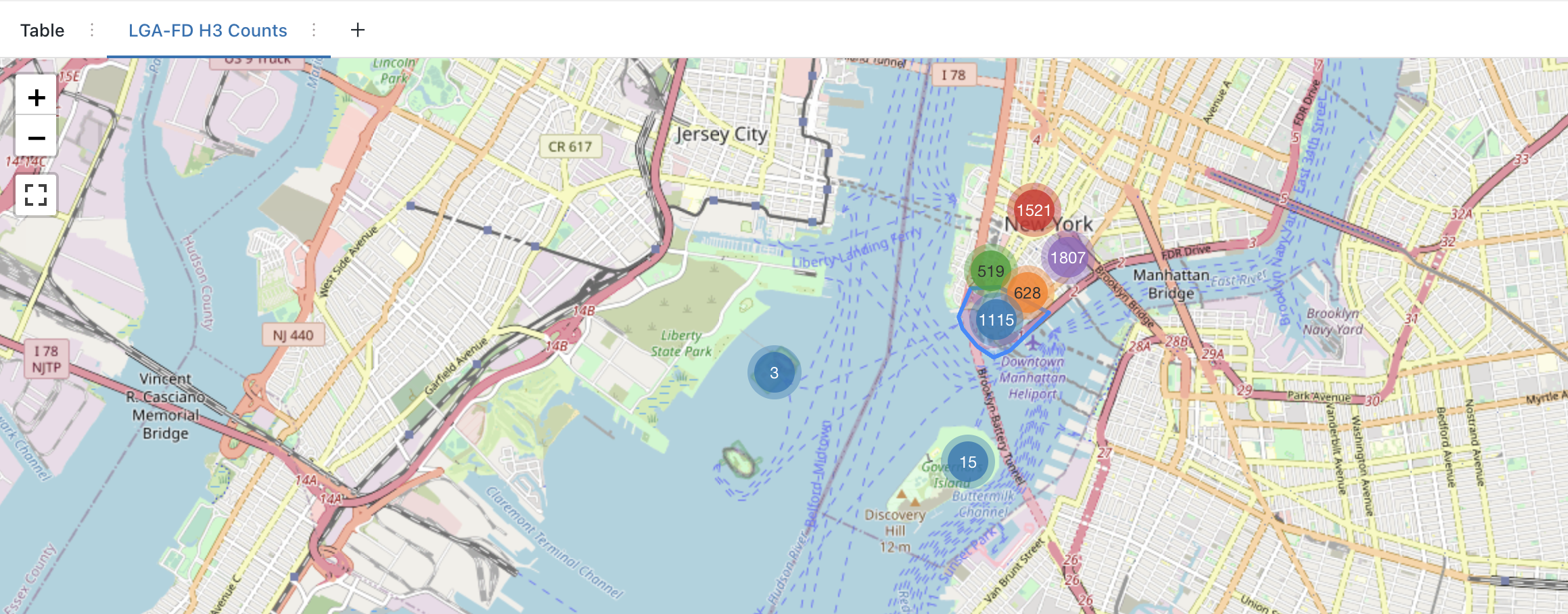
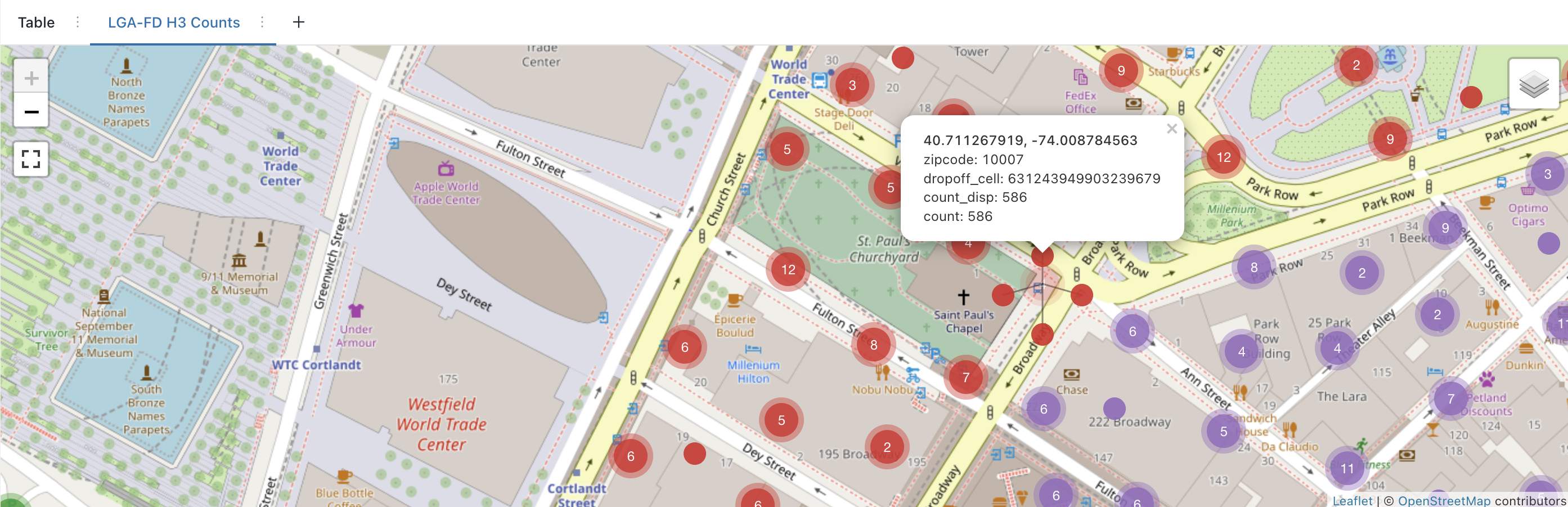
- How to render H3 aggregate counts on a map.
Example notebooks and queries
Prepare Unity Catalog data
In this notebook we:
- Set up the public taxi data set from Databricks File System.
- Set up the NYC Zip Code dataset.
Note
Downloading the NYC Zip Code Shapefile requires a free NYC OpenData account. Sign in on the data set page, download the Shapefile, and upload it to your workspace before running the setup notebook. The notebook's automated download step requires authentication.
Prepare Unity Catalog data
Databricks SQL queries with Databricks Runtime 11.3 LTS or above
Query 1: Verify base data has been setup. See Notebook.
use catalog geospatial_docs;
use database nyc_taxi;
show tables;
-- Verify initial data is setup (see instructions in setup notebook)
-- select format_number(count(*),0) as count from yellow_trip;
-- select * from nyc_zipcode;
Query 2: H3 NYC Zip Code - Apply h3_polyfillash3 at resolution 12.
use catalog geospatial_docs;
use database nyc_taxi;
-- drop table if exists nyc_zipcode_h3_12;
create table if not exists nyc_zipcode_h3_12
  cluster by (cell)
as (
  select
    explode(h3_polyfillash3(geom_wkt, 12)) as cell,
    zipcode,
    po_name,
    county
  from
    nyc_zipcode
);
-- optional: compact clustered data
optimize nyc_zipcode_h3_12;
select
  *
from
  nyc_zipcode_h3_12;
Query 3: H3 Taxi Trips - Apply h3_longlatash3 at resolution 12.
use catalog geospatial_docs;
use database nyc_taxi;
-- drop table if exists yellow_trip_h3_12;
create table if not exists yellow_trip_h3_12
  cluster by (pickup_cell)
as (
  select
    h3_longlatash3(pickup_longitude, pickup_latitude, 12) as pickup_cell,
    h3_longlatash3(dropoff_longitude, dropoff_latitude, 12) as dropoff_cell,
    *
  except
    (
      rate_code_id,
      store_and_fwd_flag
    )
  from
    yellow_trip
);
-- optional: compact clustered data
-- optimize yellow_trip_h3_12;
select
  *
from
  yellow_trip_h3_12
 where pickup_cell is not null;
Query 4: H3 LGA Pickups - 25M pickups from LaGuardia (LGA)
use catalog geospatial_docs;
use database nyc_taxi;
create
or replace view lga_pickup_h3_12 as (
  select
    t.*
  except(cell),
    s.*
  from
    yellow_trip_h3_12 as s
    inner join nyc_zipcode_h3_12 as t on s.pickup_cell = t.cell
  where
    t.zipcode = '11371'
);
select
  format_number(count(*), 0) as count
from
  lga_pickup_h3_12;
-- select
  --   *
  -- from
  --   lga_pickup_h3_12;
Query 5: H3 Financial District Dropoffs - 34M total drop offs in the Financial District
use catalog geospatial_docs;
use database nyc_taxi;
create
or replace view fd_dropoff_h3_12 as (
  select
    t.*
  except(cell),
    s.*
  from
    yellow_trip_h3_12 as s
    inner join nyc_zipcode_h3_12 as t on s.dropoff_cell = t.cell
  where
    t.zipcode in ('10004', '10005', '10006', '10007', '10038')
);
select
  format_number(count(*), 0) as count
from
  fd_dropoff_h3_12;
-- select * from fd_dropoff_h3_12;
Query 6: H3 LGA-FD - 827K drop offs in FD with pickup from LGA
use catalog geospatial_docs;
use database nyc_taxi;
create
or replace view lga_fd_dropoff_h3_12 as (
  select
    *
  from
    fd_dropoff_h3_12
  where
    pickup_cell in (
      select
        distinct pickup_cell
      from
        lga_pickup_h3_12
    )
);
select
  format_number(count(*), 0) as count
from
  lga_fd_dropoff_h3_12;
-- select * from lga_fd_dropoff_h3_12;
Query 7: LGA-FD by zip code - Count FD drop offs by zip code + bar chart
use catalog geospatial_docs;
use database nyc_taxi;
select
  zipcode,
  count(*) as count
from
  lga_fd_dropoff_h3_12
group by
  zipcode
order by
  zipcode;
Query 8: LGA-FD by H3 - Count FD drop offs by H3 cell + map marker visualization
use catalog geospatial_docs;
use database nyc_taxi;
select
  zipcode,
  dropoff_cell,
  h3_centerasgeojson(dropoff_cell) :coordinates [0] as dropoff_centroid_x,
  h3_centerasgeojson(dropoff_cell) :coordinates [1] as dropoff_centroid_y,
  format_number(count(*), 0) as count_disp,
  count(*) as `count`
from
  lga_fd_dropoff_h3_12
group by
  zipcode,
  dropoff_cell
order by
  zipcode,
  `count` DESC;
Notebooks for Databricks Runtime 11.3 LTS or above
Quickstart-Python: H3 NYC Taxi LaGuardia to Manhattan
Same quickstart structure as in Databricks SQL, using Spark Python bindings within Notebooks + kepler.gl.
Quickstart-Scala: H3 NYC Taxi LaGuardia to Manhattan
Same quickstart structure as in Databricks SQL, using Spark Scala bindings within Notebooks + kepler.gl via Python cells.
Quickstart-SQL: H3 NYC Taxi LaGuardia to Manhattan
Same quickstart structure as in Databricks SQL, using Spark SQL bindings within Notebooks + kepler.gl via Python cells.