Microsoft 365 and Office | OneDrive | For business | Windows
A Microsoft file hosting and synchronization service.

This browser is no longer supported.
Upgrade to Microsoft Edge to take advantage of the latest features, security updates, and technical support.
' cx='32' cy='32' r='32' /%3E%3Ctext x='50%25' y='55%25' dominant-baseline='middle' text-anchor='middle' fill='%23FFF' %3EK%3C/text%3E%3C/svg%3E)
Hey guys,
we are using OneDrive for Business 20.169.0823.0008 on Citrix LTSR 7.15 with non-persistent Machines.
We are creating a new Terminalserver every night from an golden image with Machine Creation Services.
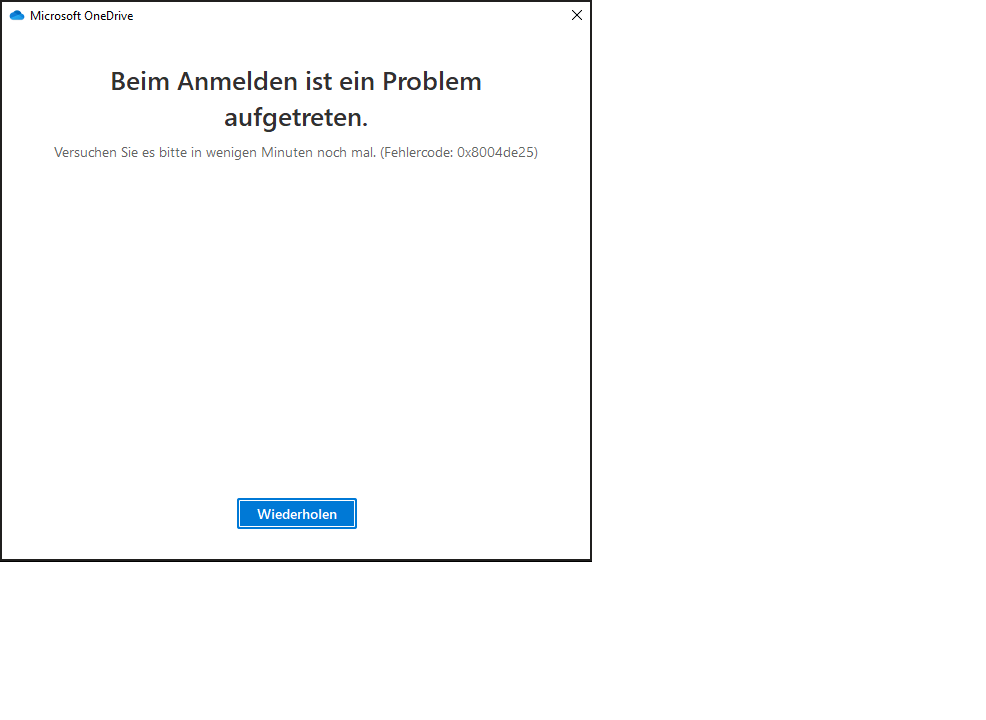
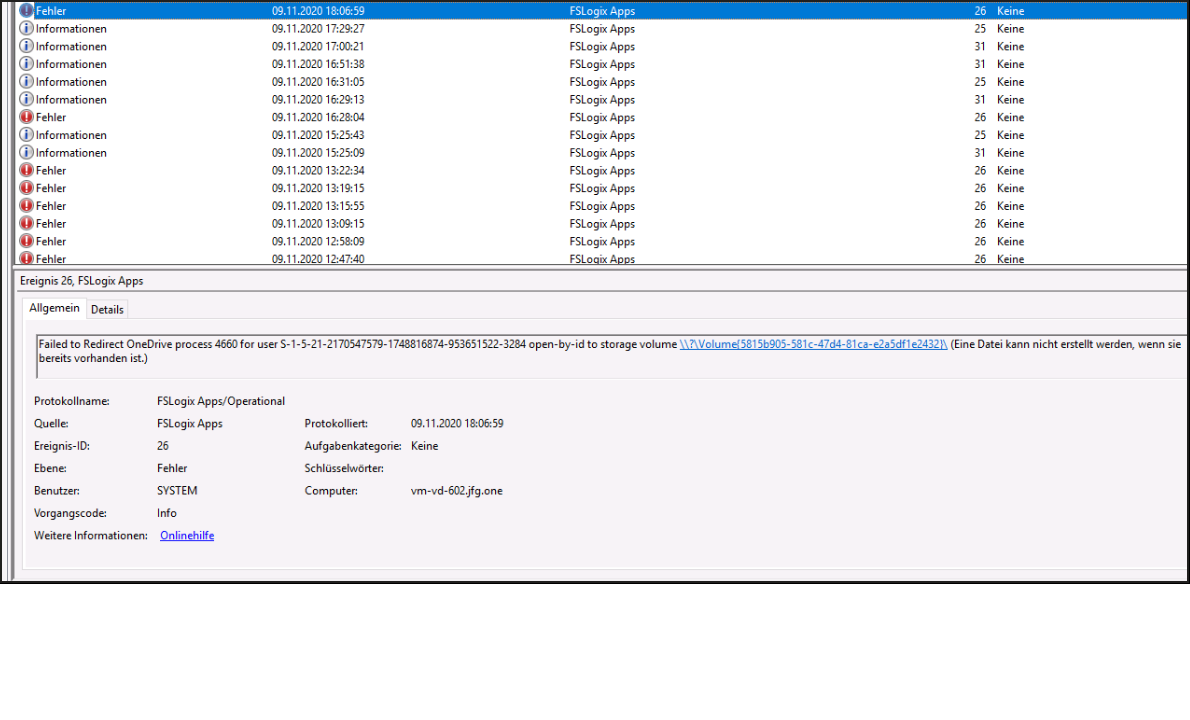
In combination with FSLogix 2.9.7349.30108 we are currently facing issues within the login process. Error: Try again later / Errorcode: 0x8004de25.
Onedrive & Sharepoint are both enabled in the ODFC-Container.
I have a feeling, that we are facing this problem after the latest OneDrive-Update (automatically updated).
Before that everything worked fine.
I also tried to temporarily disable all firewall-rules just in case -> still the same result.
A workaround is to unlink the Account by rightclicking the Onedrive icon in the tray.
But after a login the same problem occurs.
Furthermore I checked to delete my complete profile + office container. Logged in onto the terminalserver, onedrive login was no problem.
After that I did a clean logoff, relogged to the same terminalserver and the error again occured. Also the tray was full of Onedrive icons after 10 Minutes.
Onedrive with the same version on my local laptop is working like a charm. So i guess the problem has to be associated with fslogix.
I appreciate your help!
Kevin
Edit:
After the reset and the first login, the following error was shown:
12/07/2020 14:24:30.095 WebClient: WebClient(075955B0): OnStopBinding(), hr=0x800C0005, wzError=[]
12/07/2020 14:24:30.095 Chk: !ERROR! (0x800C0005) (webclient.cpp:625) ERROR: "" failed with 0x800c0005 in .
Regulary after several minutes Onedrive tries to connect (another multiple icon in the tray appears suddenly) and the Error-Log showed me the following lines:
12/07/2020 14:25:35.898 WebClient: WebClient(069B3220): IsSameBITSJob() remote name mismatch (desired=[https://g.live.com/odclientsettings/Prod?OneDriveUpdate=a52b42dafc65b48e34bf1775c3af] loaded=[https://g.live.com/odclientsettings/Prod?OneDriveUpdate=c706c8aba8e090e789f9bddfb1a])
12/07/2020 14:25:35.899 Chk: !ERROR! (0x80004005) (webclient.cpp:1027) ERROR: "" failed with 0x80004005 in .

A Microsoft file hosting and synchronization service.
' cx='32' cy='32' r='32' /%3E%3Ctext x='50%25' y='55%25' dominant-baseline='middle' text-anchor='middle' fill='%23FFF' %3EJS%3C/text%3E%3C/svg%3E)
Greetings sir!
We are facing a similar situation with some of our users, we are also using Citrix and so it seems our environments may be similar. I was wondering; were able to find a way to resolve this issue? I tried the usual troubleshooting steps, such a running onedrive.exe /reset and removing and re-installing OneDrive, but to no avail. I would appreciate any feedback you have on this problem.
Thanks!
James
Hello James,
I tried reinstalling OneDrive in different Versions, resetting our installation (which is a /allusers onedrive-installation).
Everything led to the same Problem.
Even if I create a new user and login the problem occurs after a new login.
Im in Contact with the Microsoft-Support. If the problem is resolved, I will post the solution in this thread.
Have a nice day
Hello Kevin,
Thank you so much for responding to me, I am most grateful. Hopefully Microsoft support will be able to help you with resolving it. I would be very appreciative if you should share the solution once you have it!
Have a wonderful day
James
' cx='32' cy='32' r='32' /%3E%3Ctext x='50%25' y='55%25' dominant-baseline='middle' text-anchor='middle' fill='%23FFF' %3EJR%3C/text%3E%3C/svg%3E)
I have the same problem and the same error message on private home pc been ttrying to fix this on and off for 2 days ...0x8004de25 is the error number

From the perspective of OneDrive, please uninstall OneDrive on Control Panel and reinstall it, maybe there is something wrong with OneDrive.
You may also install a previous version of OneDrive for a test, it could check whether there is any compatibility issue with the current latest version of OneDrive.
As I am not an expert of FSLogix, I add a tag "windows-server-fslogix" likes the tag you added on an another post.
To determine whether this problem is related to FSLogix, I find a post "How to disable FSLogix to see if an issue is FSLogix related".
There are some troubleshooting suggestions at the bottom of this post, you may have a look.
Any updates please let me know.
If an Answer is helpful, please click "Accept Answer" and upvote it.
Note: Please follow the steps in our documentation to enable e-mail notifications if you want to receive the related email notification for this thread.
Hello Emily,
I tried reinstalling OneDrive in different Versions, resetting our installation (which is a /allusers onedrive-installation).
Everything led to the same Problem.
Even if I create a new user and login the problem occurs after a new login.
I dont think that FSLogix is creating the problem, because I also tried a lokal user on the affected machines.
Have a nice day
