Bemærk
Adgang til denne side kræver godkendelse. Du kan prøve at logge på eller ændre mapper.
Adgang til denne side kræver godkendelse. Du kan prøve at ændre mapper.
As organizations adopt AI agents at scale, securing them has become a critical concern. Microsoft Agent 365 extends your existing security infrastructure – Microsoft Defender, Microsoft Entra, and Microsoft Purview – to agents, with purpose-built capabilities for securing agents.
This article outlines how Microsoft Agent 365 secures AI agents.
A distributed security model with centralized visibility
AI agents introduce new security challenges, including:
- Agent sprawl from user-created and SaaS agents that expands the attack surface
- Over-privileged agents with excessive resource access
- Tool misuse when agents are manipulated into abusing authorized tools
- Misconfigured or vulnerable agents without proper authentication or boundaries
- Traditional AI threats, such as prompt injection and data leakage, that now extend across agent interactions
As part of Microsoft Agent 365, Microsoft Defender, Microsoft Entra, and Microsoft Purview now provide purpose-built controls for agents. Security practitioners continue working in the tools they already use, with agent insights and recommendations surfaced directly in each product's portal.
The Agent 365 overview in the Microsoft 365 admin center provides centralized visibility into AI agents across the organization, including usage insights and security signals that help administrators take action.

Security teams define governance requirements by creating policy templates, such as access packages in Microsoft Entra. During onboarding, IT teams apply these templates to agents, ensuring governance and compliance are enforced from the start.
Access control with Microsoft Entra
Agents that sprawl or accumulate excessive permissions create risk. Microsoft Entra gives you visibility into all agent identities and helps enforce least-privilege access:
Visibility into agent identities – Get the complete view of all agents in your organization, including agents with an Entra Agent ID, agents you register yourself, and shadow agents.

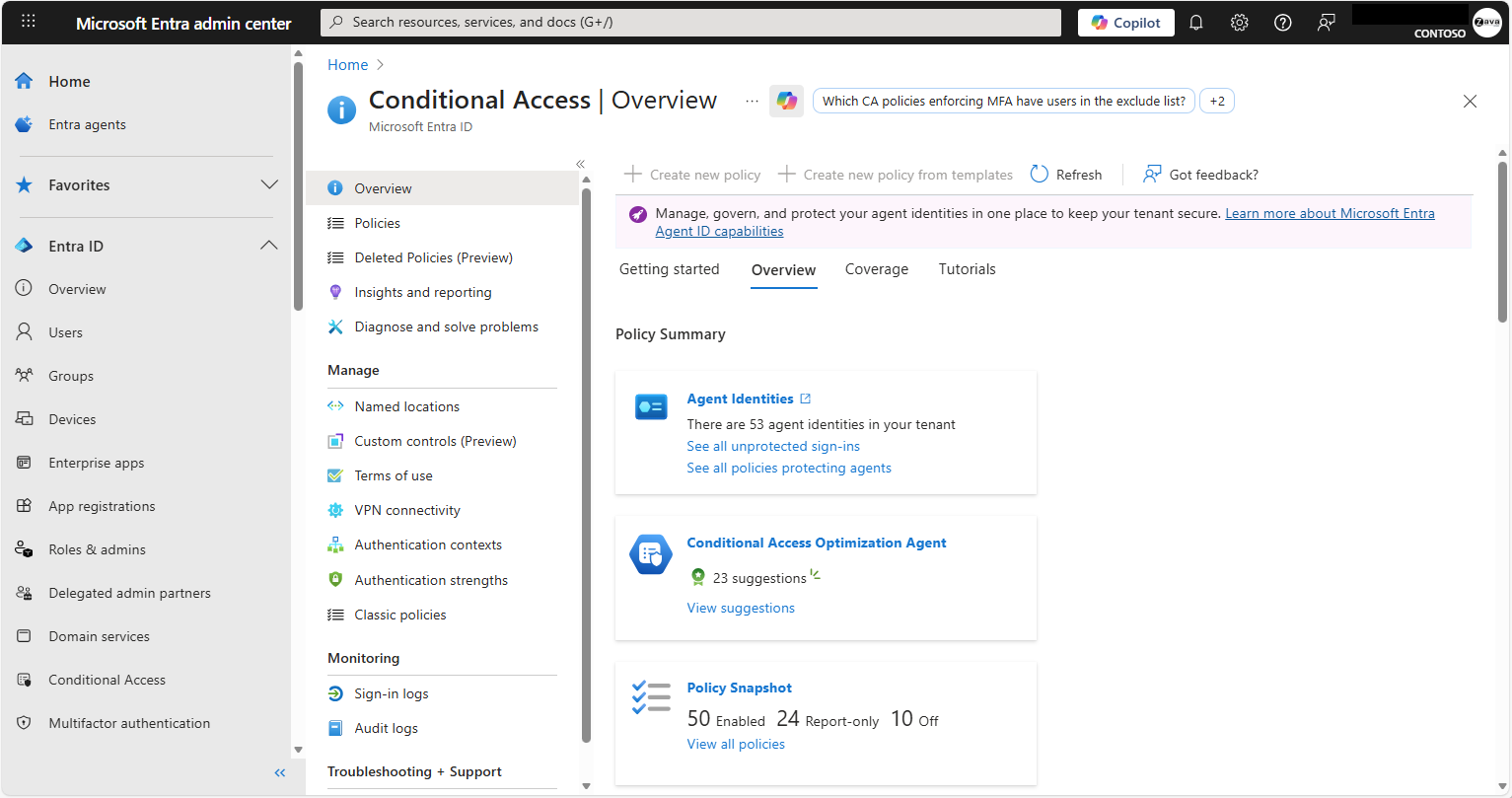
Conditional access and identity protection – Extend conditional access and identity protection policies from users to agents. Enforce real-time access decisions based on agent context, risk level, and resource sensitivity.
Secure Access Service Edge (SASE) – Monitor and block malicious and non-compliant network traffic from agents running on user devices, including Copilot Studio agents.
Agent governance and lifecycles – Ensure agents have responsible sponsors providing oversight, and manage access so it doesn't persist longer than needed.

Learn more about access control:
- Protect agent identities with Microsoft Entra
- What is Microsoft agent identity platform?
- Governing agent identities (Preview)
- Conditional Access for Agent ID
- Secure Access Service Edge for agents
Data security with Microsoft Purview
Agents create, access, and share data across systems – increasing the risk of oversharing and sensitive data exposure. Microsoft Purview controls what data agents can access and how they use it, and helps you meet compliance obligations across the agent lifecycle:
- Data security posture management – Get deep interaction visibility for agents and identify AI-related data exposure risks.
- Sensitivity labels – Agents inherit and honor data sensitivity labels, ensuring consistent data protection across human and agent interactions.
- Data loss prevention – Block agents from accessing and sharing sensitive content based on data security labels and policies.
- Insider risk management and communication compliance – Detect risky activity and monitor interactions for policy violations.
- Auditing – Log and audit all agent interactions for compliance review and forensic investigation.
- Data lifecycle management – Apply retention and deletion policies to agent-generated content so data is kept only as long as needed.
- eDiscovery – Search, preserve, and export agent interactions and outputs to support legal, regulatory, and internal investigations.
- Compliance Manager – Assess agent instances against AI regulations using built-in assessments to track and improve your compliance posture.

Learn more about data security and compliance:
- Data security in Microsoft Agent 365
- Microsoft Purview data security and compliance protections for Microsoft Agent 365
Threat protection with Microsoft Defender
Agents can be manipulated into misusing authorized tools, misconfigured without proper authentication, or targeted by prompt injection attacks. Microsoft Defender identifies these risks and enables rapid response:
Agent security posture management – Identify and remediate agent misconfigurations and exposure risks. Visualize attack paths from agents to critical assets.

Threat detection and blocking – Detect suspicious agent activity, receive alerts, and block malicious tool invocations in real-time.

Threat investigation and hunting – Collect unified agent observability logs and hunt for threats across agent activity.


Learn more about threat protection:
- AI agent inventory in Microsoft Defender XDR
- AI agent detection and protection in Microsoft Defender XDR
Next steps
Learn more about Microsoft Agent 365: