Bemærk
Adgang til denne side kræver godkendelse. Du kan prøve at logge på eller ændre mapper.
Adgang til denne side kræver godkendelse. Du kan prøve at ændre mapper.
Important
This feature is in Beta. Workspace admins can control access to this feature from the Previews page. See Manage Azure Databricks previews.
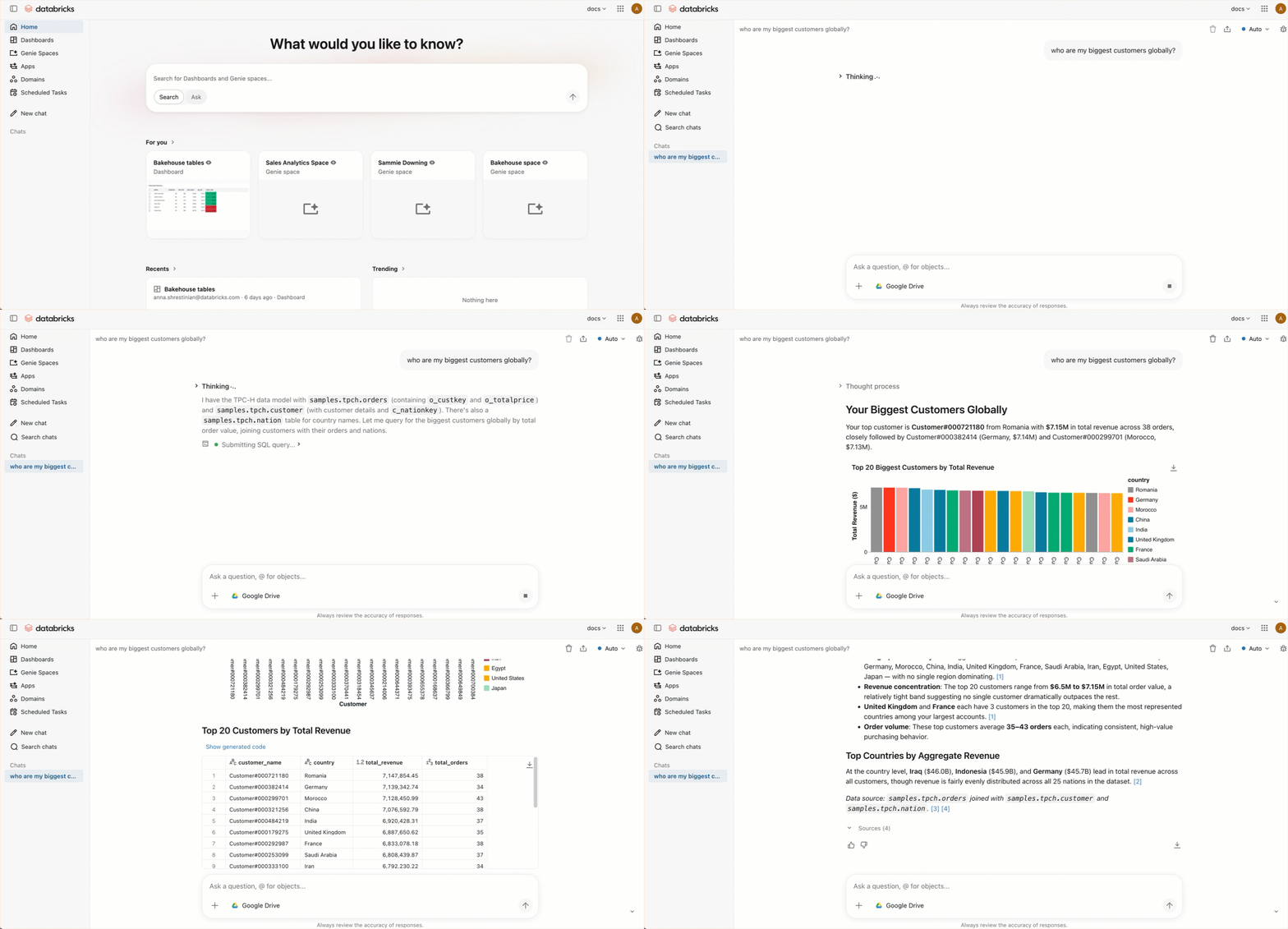
Chat provides a unified, full-screen interface for asking data questions in natural language. Chat uses existing dashboards, queries, and Genie spaces to answer your questions with all available data.
Enable Chat
Workspace admins can enable Chat for all workspace users:
- As a workspace admin, click your username in the top bar of the Azure Databricks workspace.
- From the menu, select Previews.
- Search for One Chat.
- Turn on One Chat.
Users must have the CAN USE permission on a SQL warehouse to use Chat.
How Chat works
When you submit a question to Chat:
- It searches available Genie spaces for one relevant to your question.
- If a matching Genie space is found, it uses that space to generate a response.
- If no matching Genie space is found, it uses Genie in Agent mode to search for relevant data assets and answer your question.
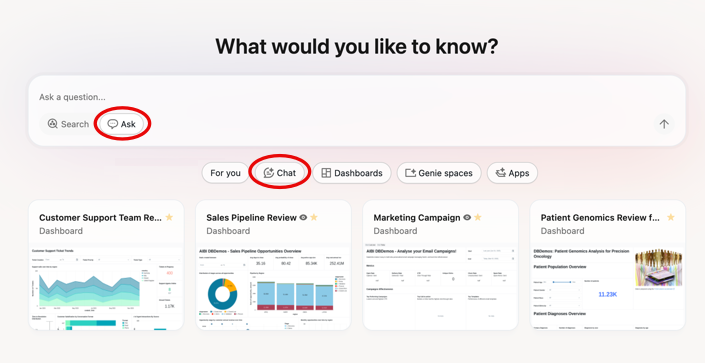
To open Chat, click Chat from the Databricks One home page, or use Ask mode in the search bar.
Chat limitations
- You cannot specify which SQL warehouse Chat uses. Databricks selects one automatically.
- Only one conversation can be active at a time.
- Workspaces with many Genie spaces might experience reduced routing accuracy.